How to Join your Hytale Server
Join Using Direct Connect
Direct Connect is the quickest way to join your server.
- Open Hytale.
- Click on Servers.

- Click on Direct Connect.
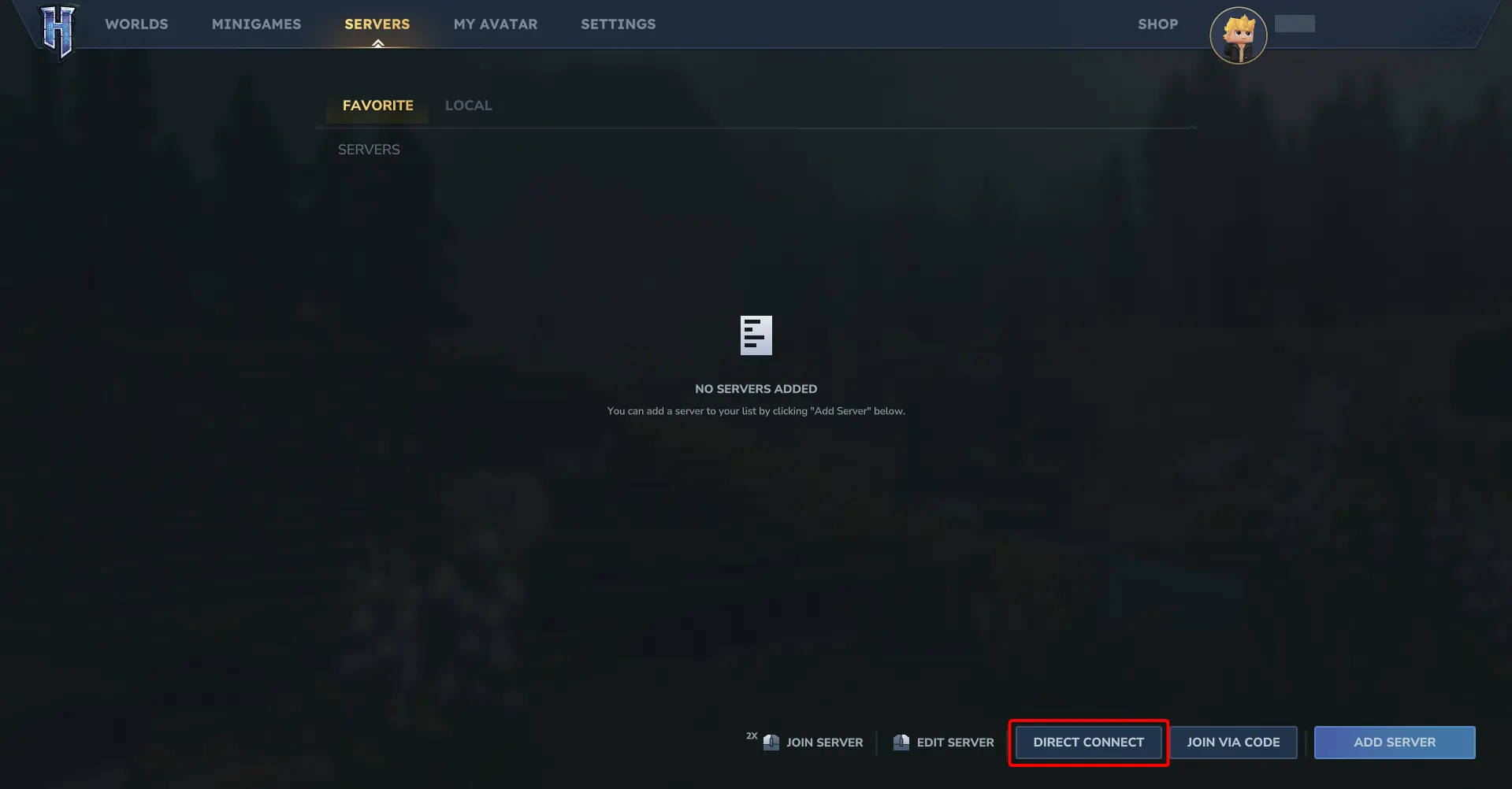
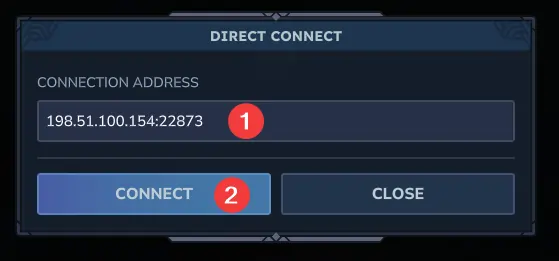
- Paste your server IP address and click Connect.
#Join by Adding the Server to Your Server List
Adding the server lets you easily reconnect later.
- Open Hytale.
- Click on Servers.
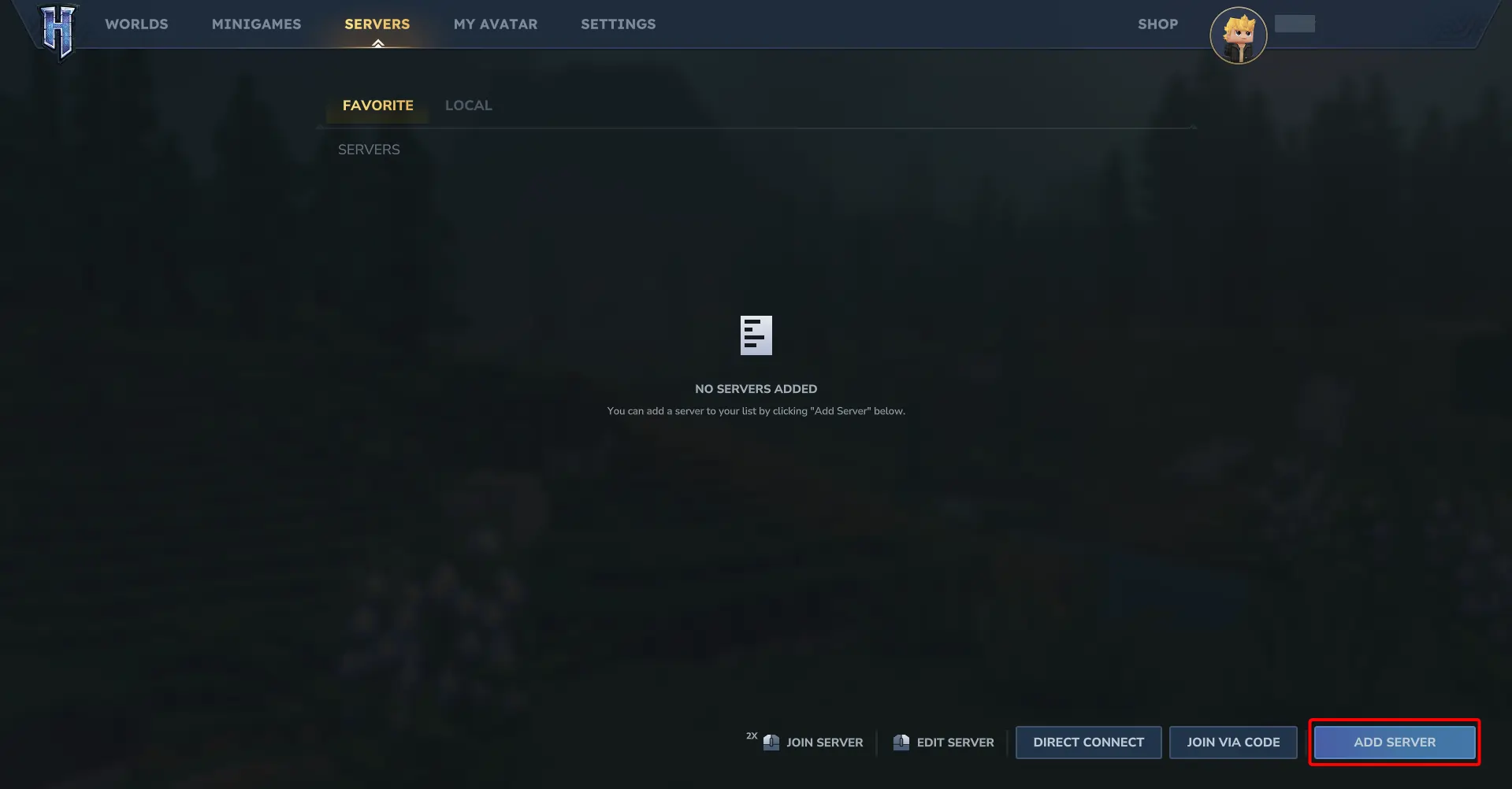
- Click on Add Server.
- Paste your server IP address, enter a server name, and click Connect.
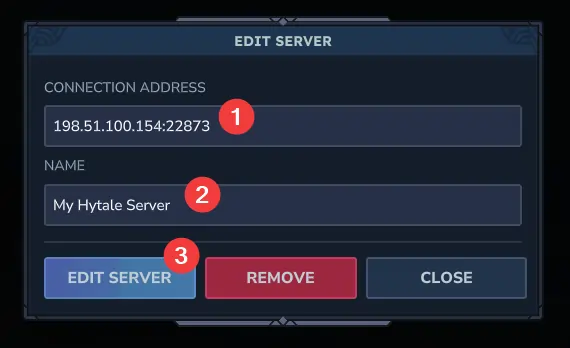
- Double click your server in the list to join.

If you have trouble connecting, confirm the server is online and that the IP address was copied correctly. If needed, our support team is always happy to help!