How to Access your files via SFTP.
To access your files via SFTP, you would need 3rd party tools/software like FileZilla or WinSCP.
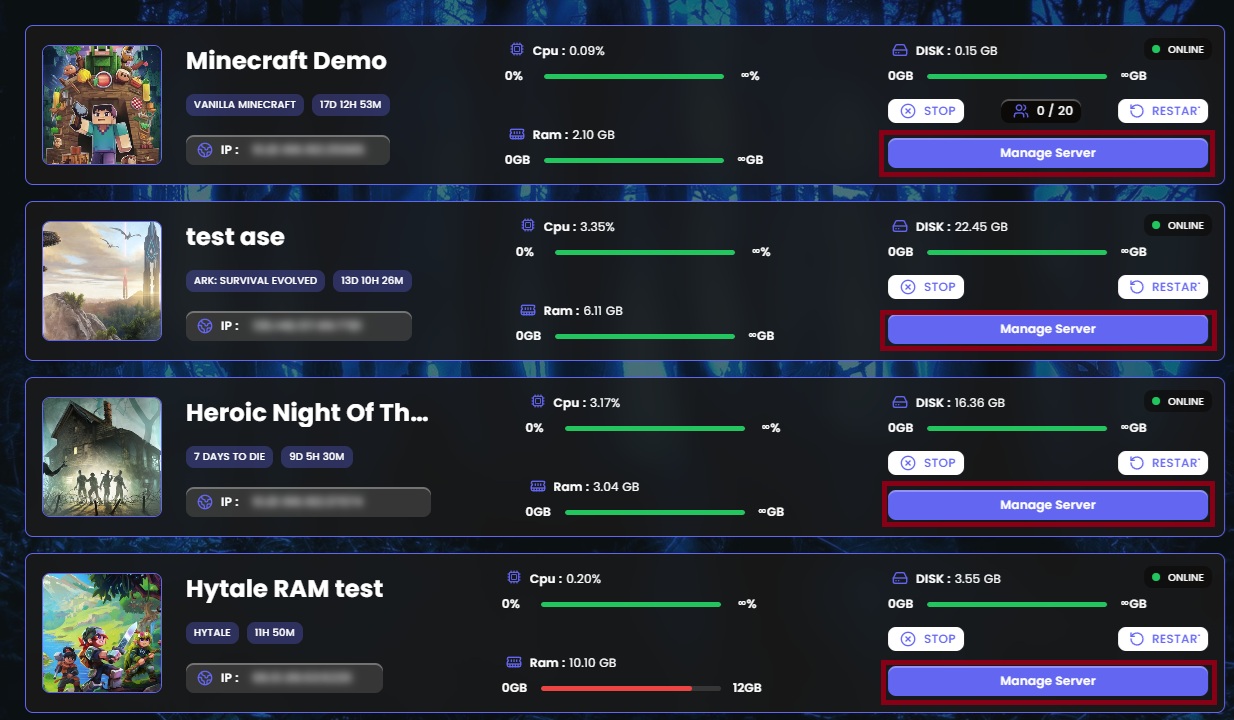
- Login to Game Panel
- Click on 'Manage Server' to access the game server information
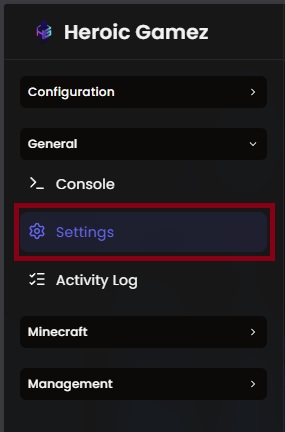
(Note: each server has different username) - On the sidebar, under 'General' click on 'Settings'
- Add the following details to your FileZilla or WinSCP tool.
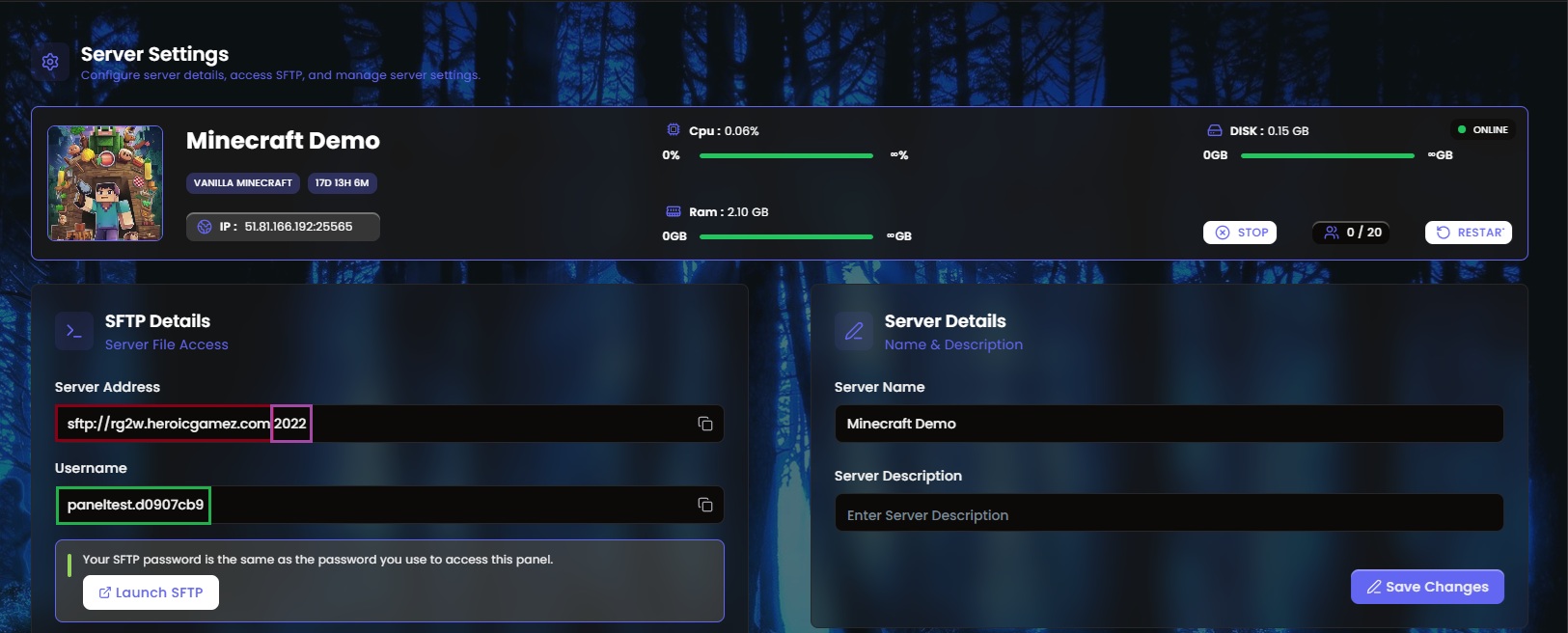
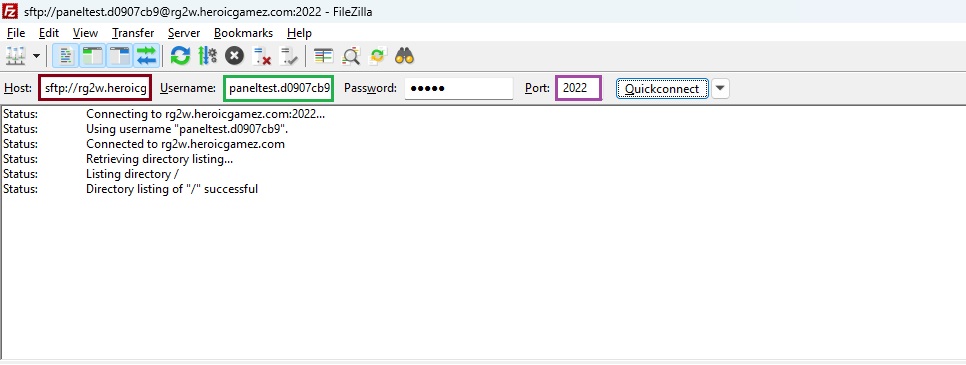
The password will be the same password to login to the Game Panel. - Click 'Quick Connect' and a prompt will pop up and just click on 'OK'